Most teams don't need "a CRM". They need their CRM: the stages they actually use, the fields they actually fill, and the rules about who sees what. Off-the-shelf tools get you 70% of the way and then you spend a year bending your process to the software.
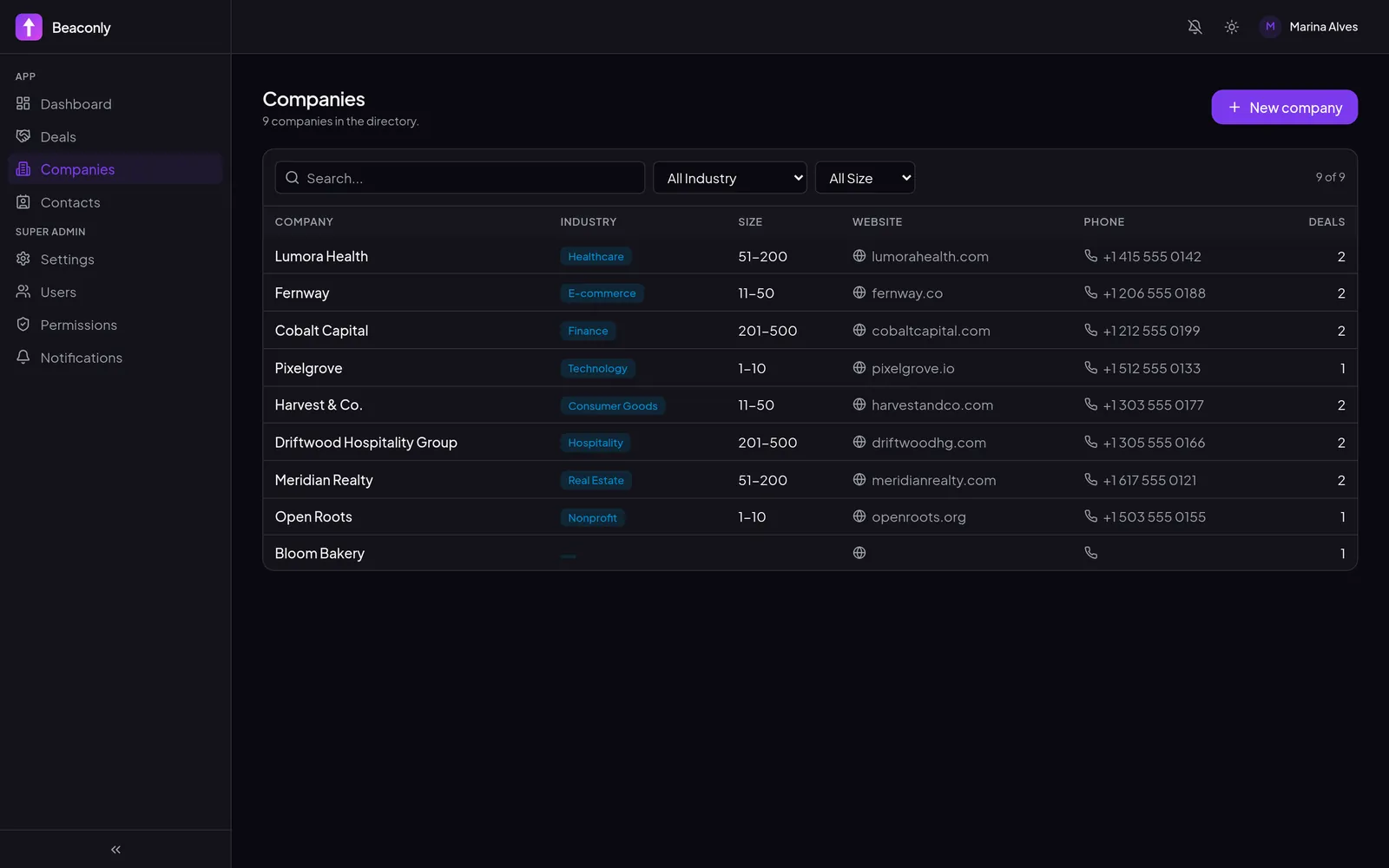
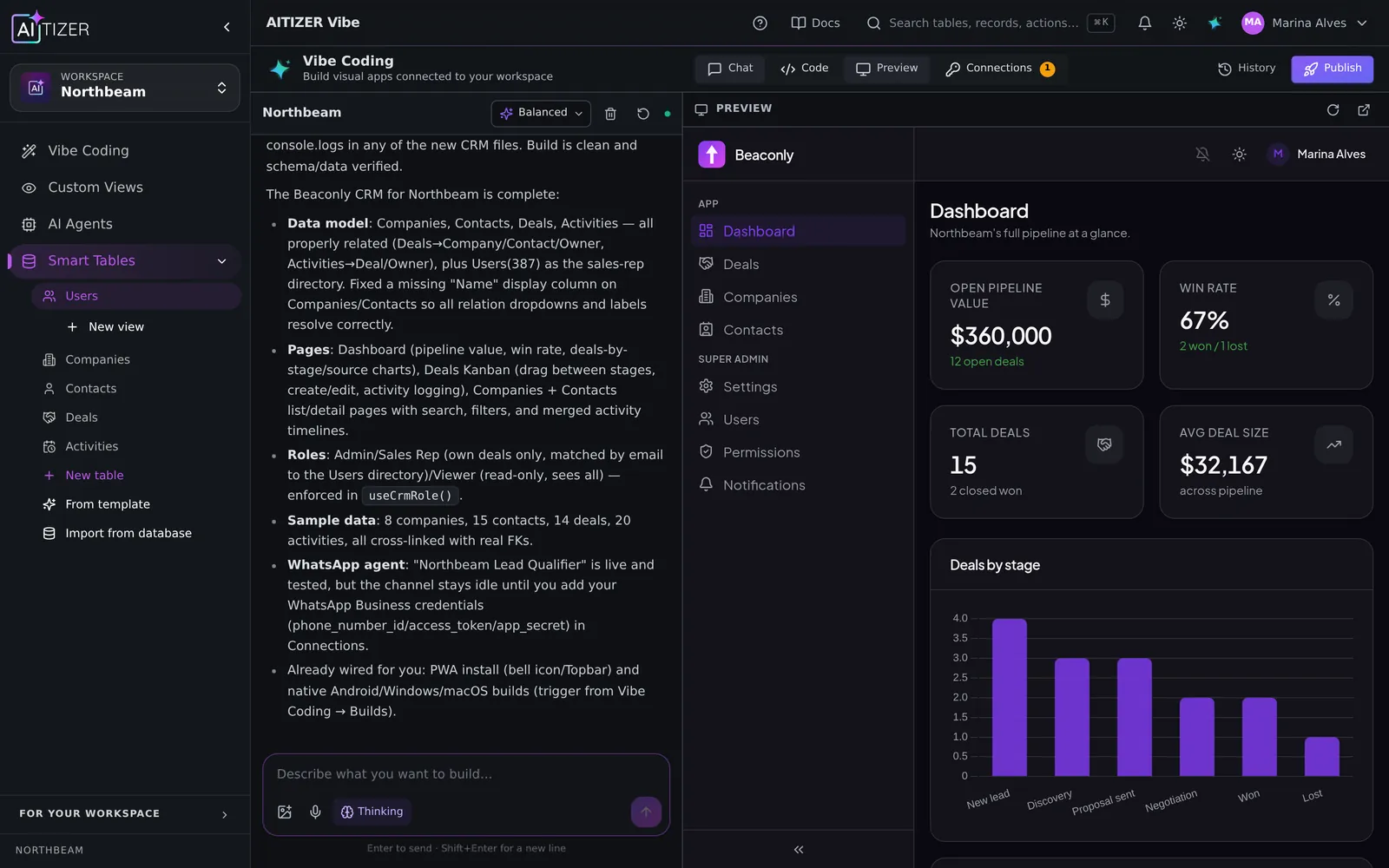
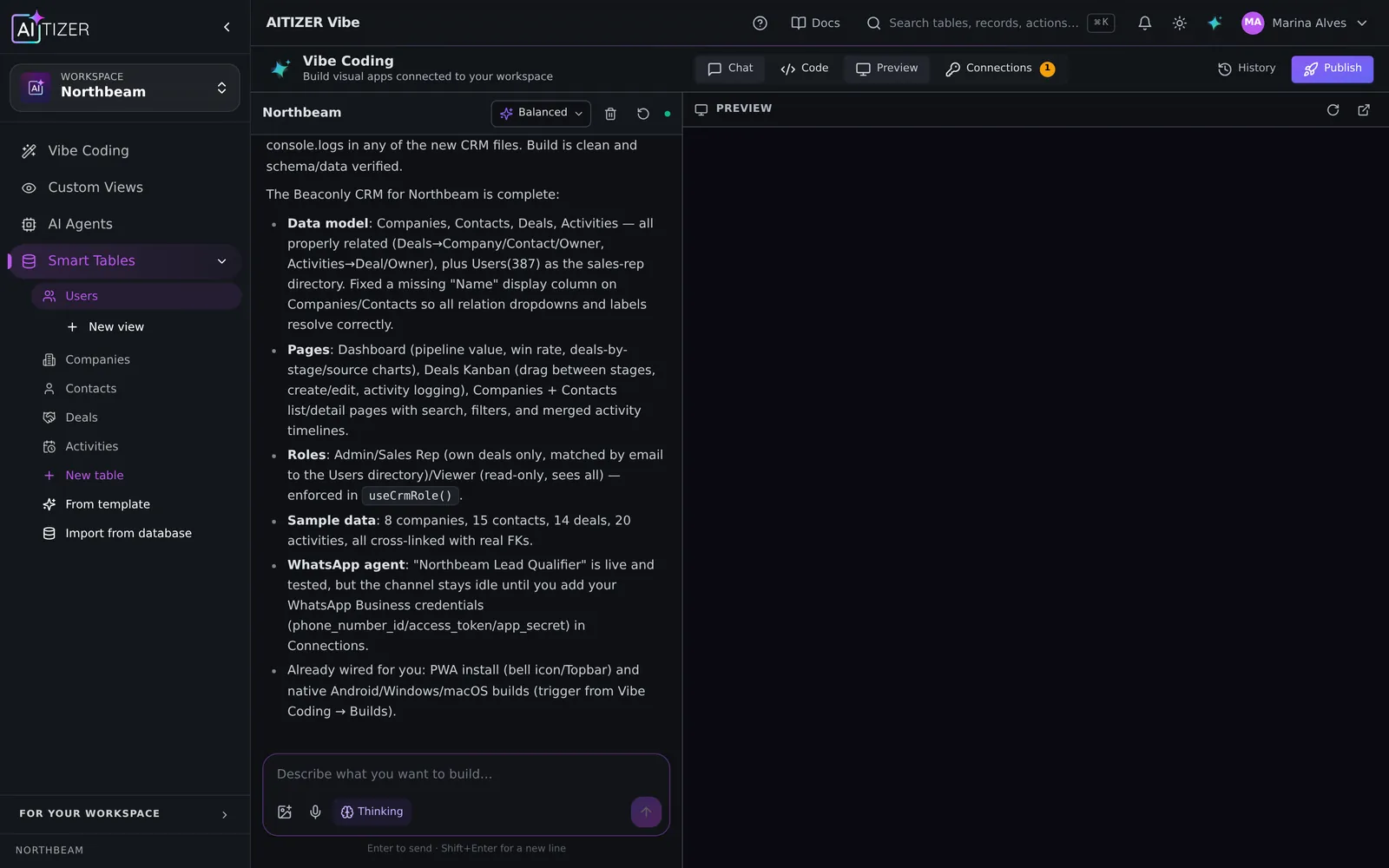
In 2026 there is a third option between "buy" and "hire developers": describe the CRM and let AI build it on a real database. This is a real build we did on AITIZER for a fictional agency called Northbeam on October 11, 2026. Nothing below is a mockup: one prompt, about 25 minutes, and the AI named the app Beaconly.
Step 1. Describe the business, not the screens
The prompt matters more than any setting. A good CRM prompt has four parts: the entities (companies, contacts, deals, activities), the pipeline (your real stages), the screens people will live in, and the rules (who can see and edit what).
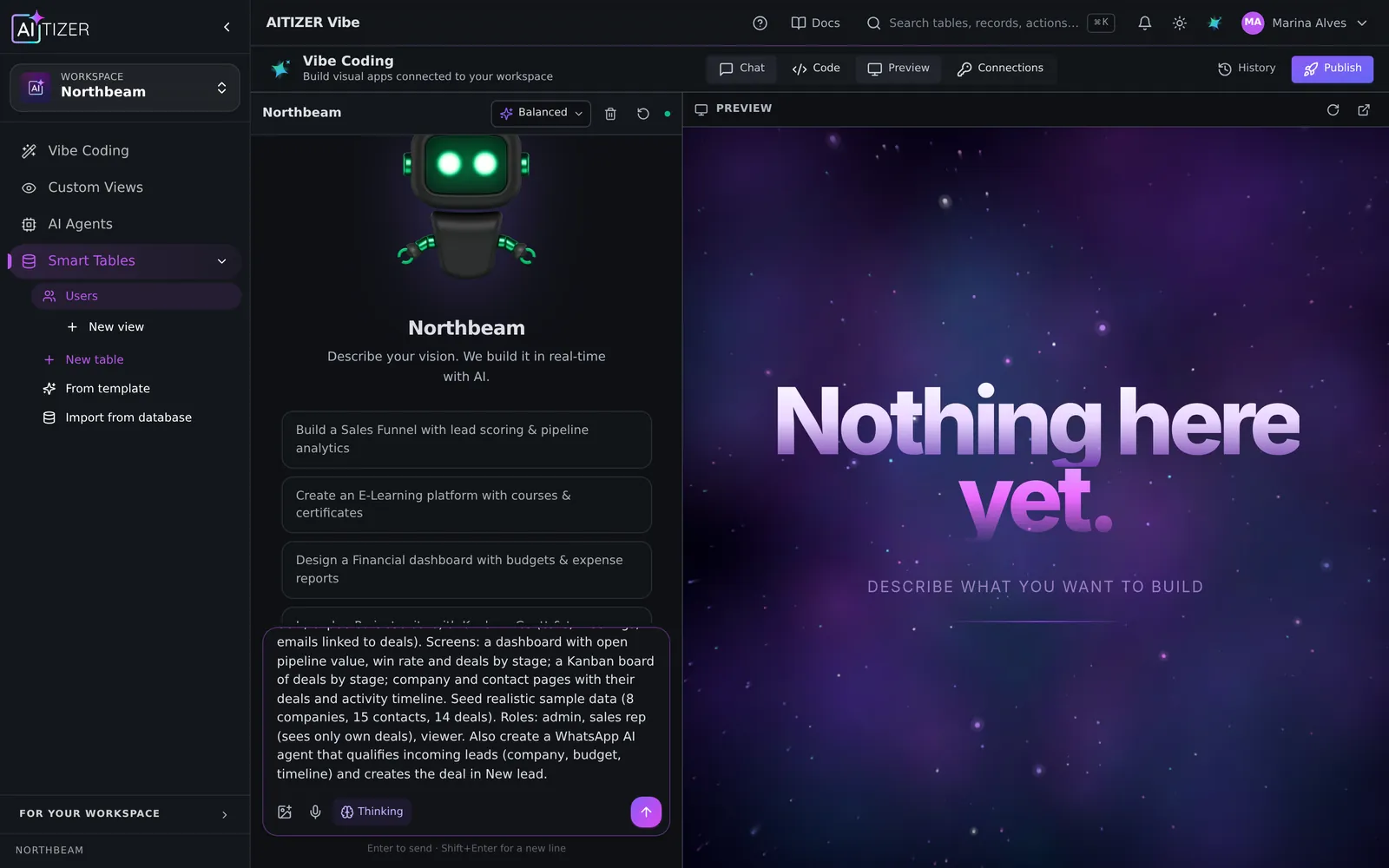
Notice what is not in the prompt: colors, layouts, libraries. AITIZER picks sensible defaults and you change them later by asking.
Step 2. Watch it plan against your real workspace
Before writing code, the builder reads your workspace: which tables already exist, which column types are available, how login works. Then it creates the data model as real Postgres tables. Not a JSON file inside a prototype.
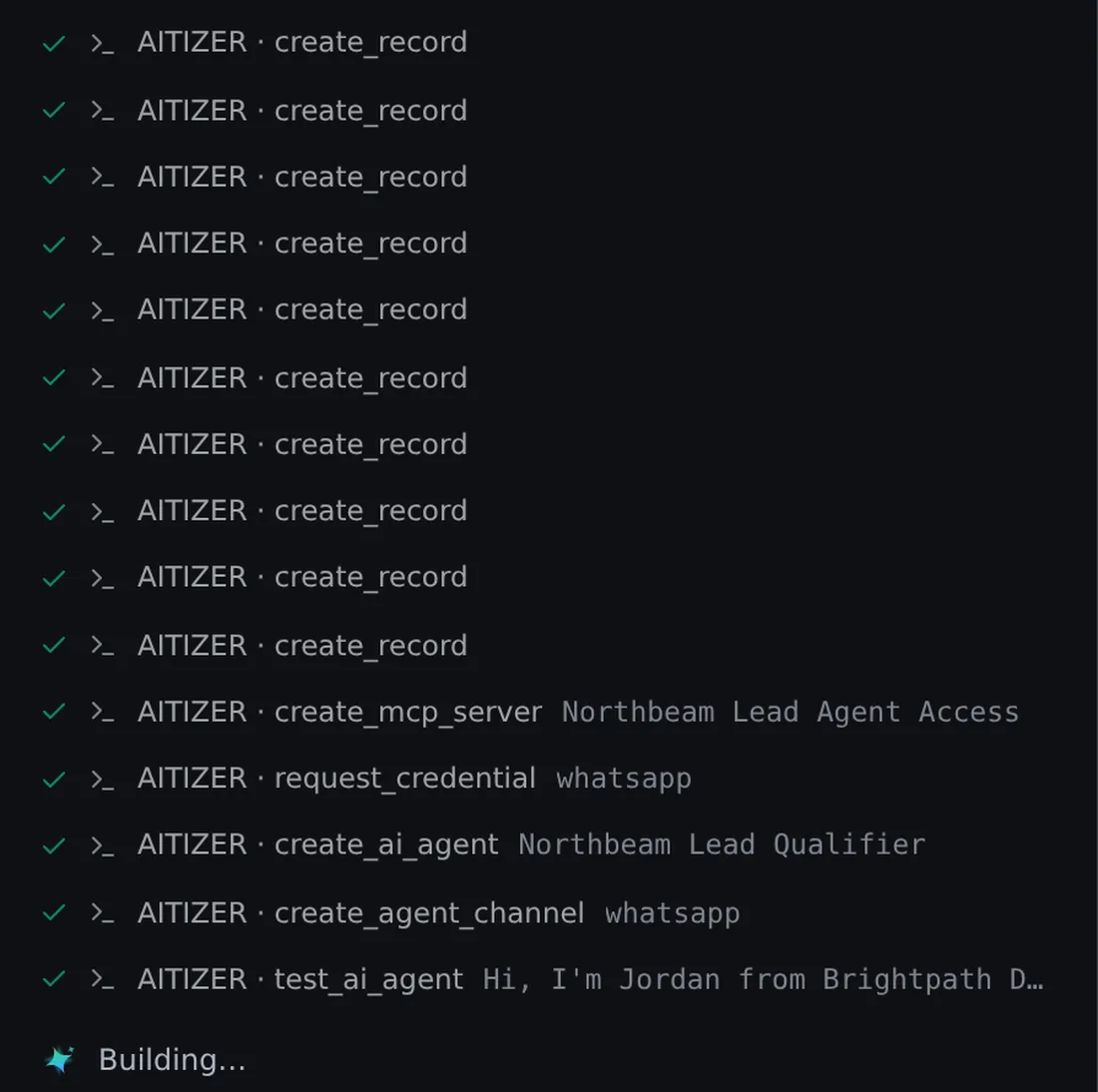
This is the part most AI app builders skip. A beautiful screen on top of fake data is a demo. Tables with types, relations and permissions are a system.
Step 3. The tables are yours
The four tables show up in the sidebar as Smart Tables: a spreadsheet-like grid on top of Postgres, with typed columns (single select for the stage, currency for value, relations between deals, contacts and companies).
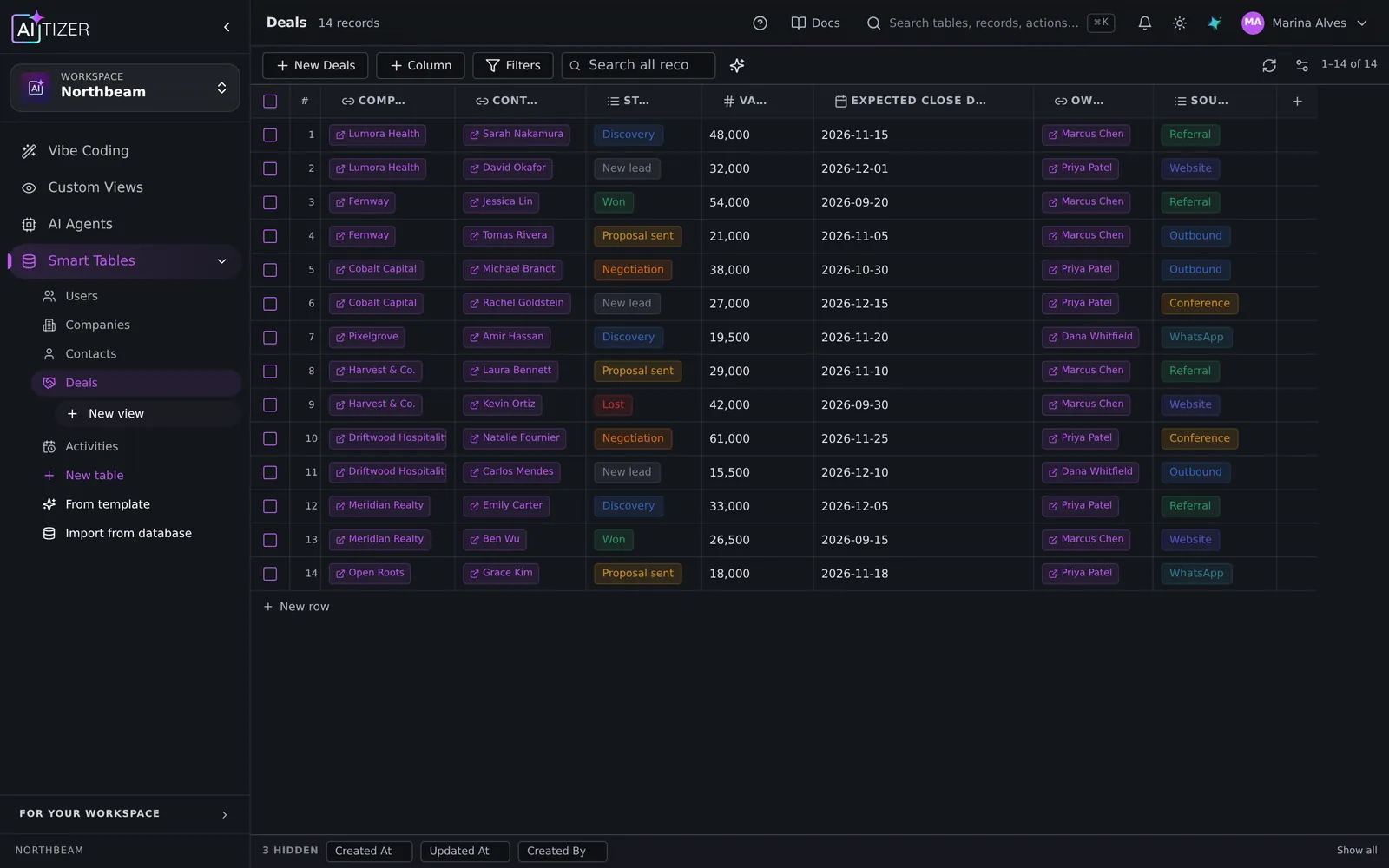
You can edit cells by hand, import a CSV, add a formula column, or call an API from a column. Every table also gets a REST API and an MCP endpoint, so other tools. And other AIs. Can read and write it with permissions.
Step 4. The app your team will actually use
The preview on the right is the generated app: a dashboard with pipeline value and win rate, a Kanban board grouped by stage, and pages for each company and contact.
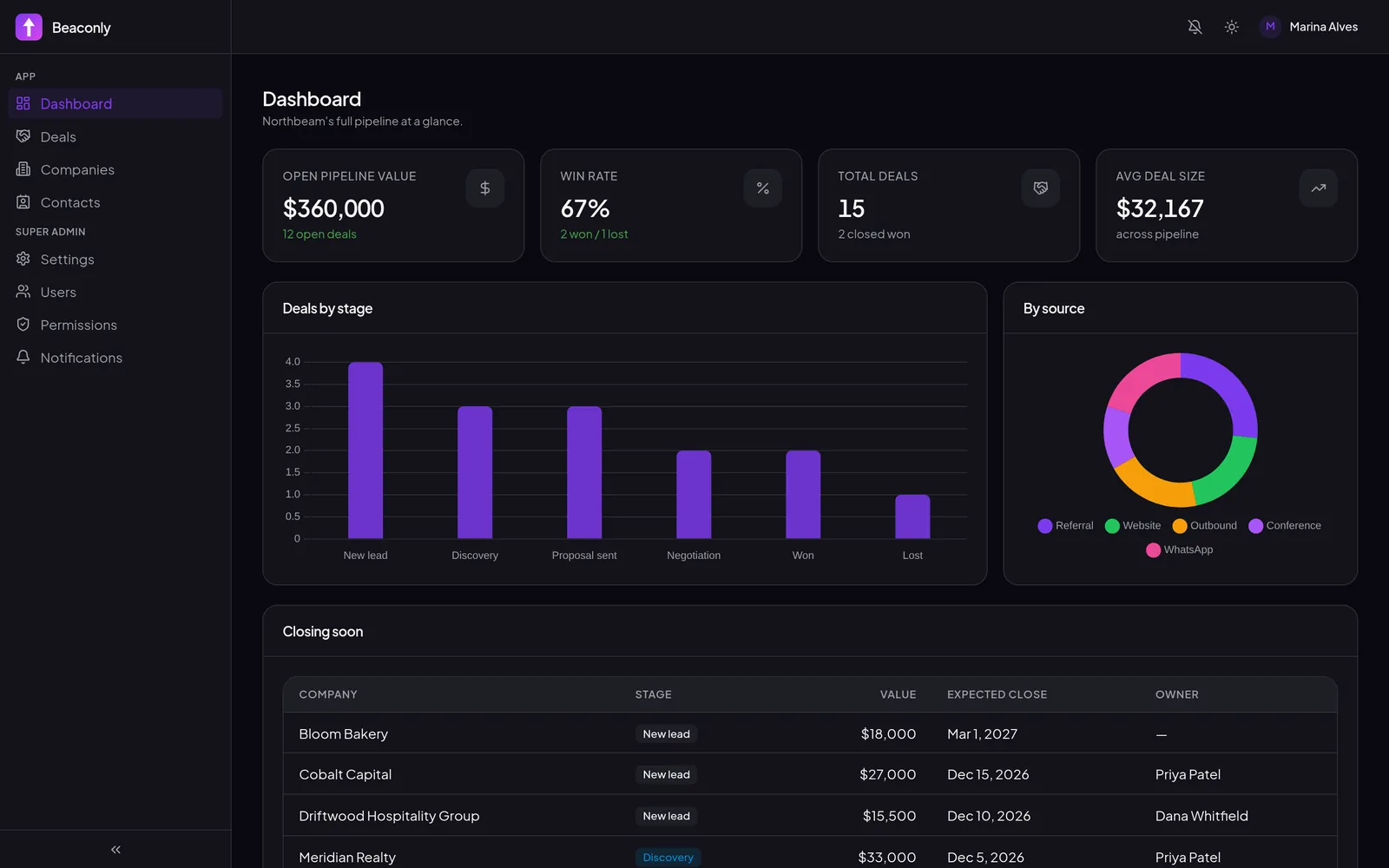
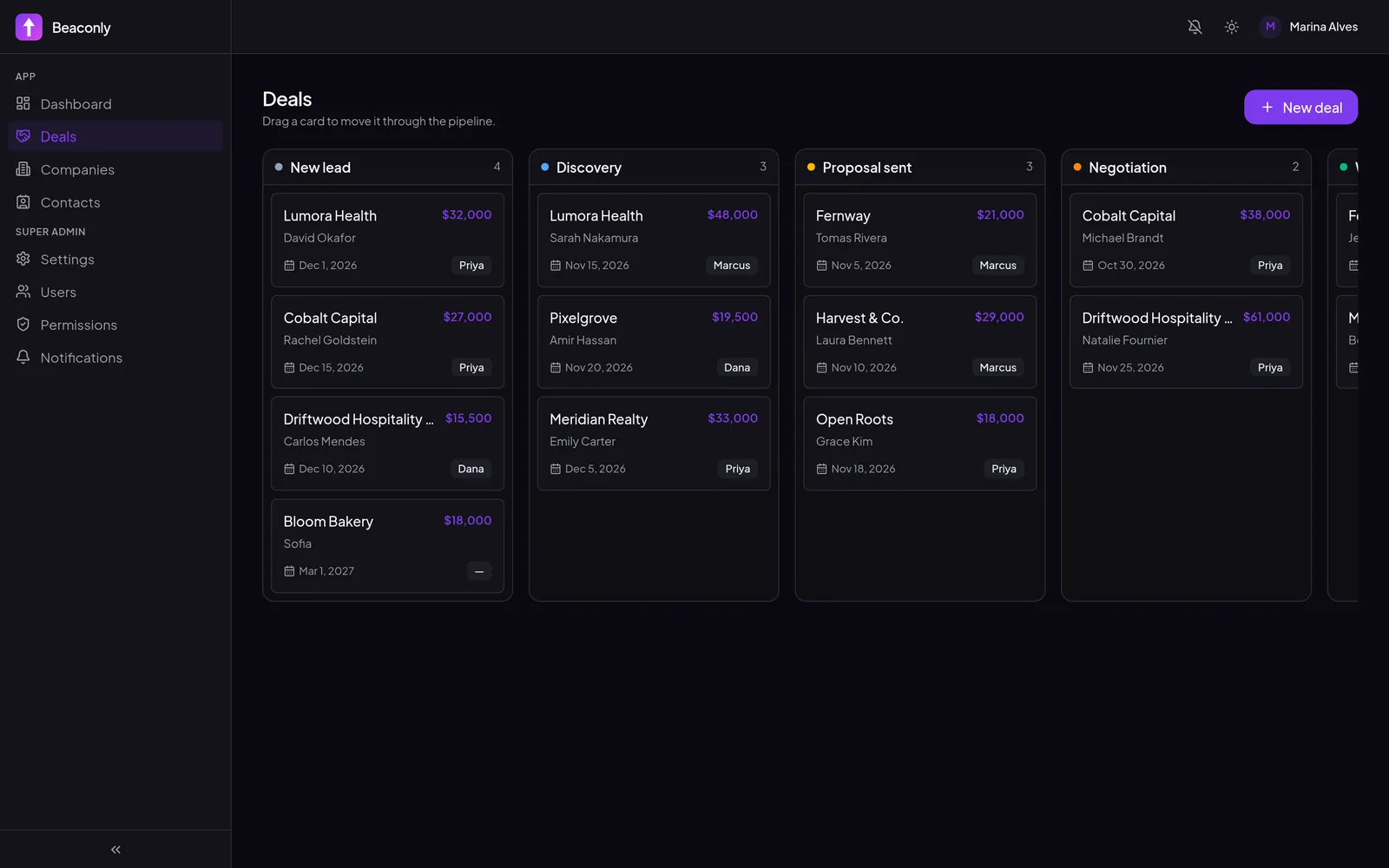
Changing it is a conversation. "Add a 'Lost reason' field that is required when a deal moves to Lost." "Show deals closing this month at the top of the dashboard." "Only managers can delete deals." Each request changes the database, the screens and the permissions together.
Step 5. Let an agent do the data entry
CRMs die because nobody fills them in, and because leads arrive on WhatsApp, not in a form. The same prompt created an AI agent in the AI Agents module that asks for company, budget and timeline, then writes the deal into the pipeline.
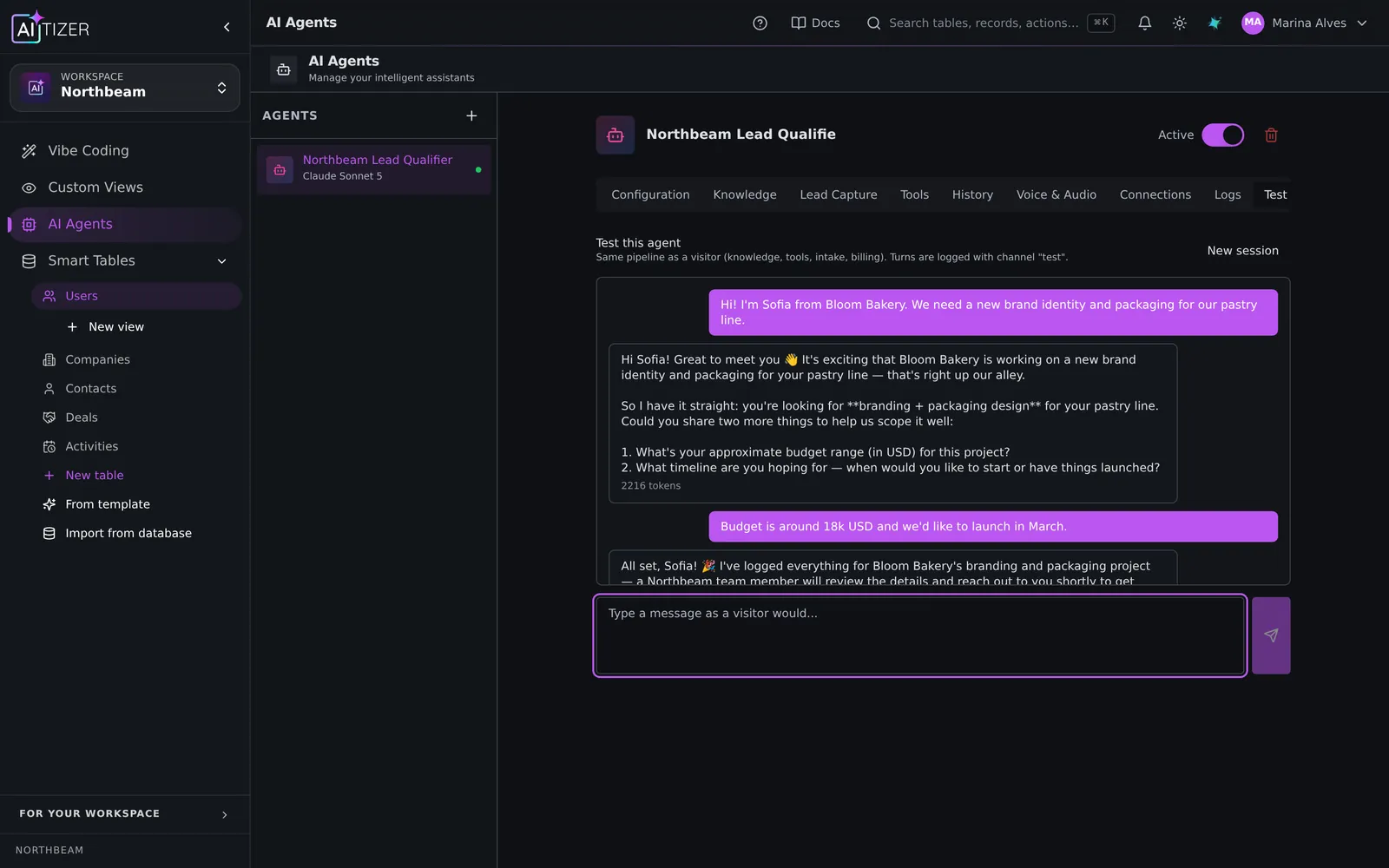
The builder did not stop at creating the agent: it tested it, noticed that the first version claimed success without actually writing the record, fixed the instructions and tested again until the deal really appeared. When we chatted with it as "Sofia from Bloom Bakery", the deal showed up in New lead on the Kanban above. $18,000, closing March 2027.
Connect the WhatsApp Cloud API channel (Pro plan and above), paste the phone number ID and token, and the webhook is ready. The agent can also run on Telegram or. On every plan. As a chat widget on your site.
Step 6. Publish
When it looks right, publish it (Starter and above; your own domain from Pro). The app has real login, roles enforced on the server, and can be installed as a PWA on phones. You can also ship Android and desktop builds.
What it costs
Building uses AI credits (1 credit = 1,000 tokens, adjusted by model). This complete build. Four tables with 57 seeded records, six screens, roles, an agent with its own tests. Used about 1,300 credits (≈890,000 tokens) on the Balanced tier. Small changes afterwards use a handful. The Free plan (200 credits a month, up to 3 tables) is for exploring and small apps. A complete build like this one fits Starter ($29/month, 1,500 credits), which also lets you publish; for the WhatsApp agent, your own domain, the full API and room for several builds a month, pick Pro ($79/month, 6,000 credits). Every paid plan starts with a 7-day trial.
When a custom CRM is the wrong idea
Be honest with yourself: if your process is exactly "standard B2B sales" and you have one sales rep, a mainstream CRM is fine. Build your own when the process is your edge. Agencies with project-based deals, clinics, real estate, schools, recruiters, distributors. Or when the CRM has to live next to the rest of your operation (stock, projects, invoices) in one place.
Build it on AITIZER. Free, no card
Paste this into the composer and watch it ship:
Build a CRM for a 12-person design agency. Tables: Companies, Contacts, Deals (pipeline: New lead, Discovery, Proposal sent, Negotiation, Won, Lost; value in USD; expected close date) and Activities. Screens: a dashboard with open pipeline value and win rate, a Kanban board of deals, and company pages with an activity timeline. Roles: admin, sales rep (sees only own deals), viewer. Add a WhatsApp AI agent that qualifies new leads and creates the deal.
- Real Postgres tables you own and can export
- AI agents on WhatsApp, Telegram and web chat
- Publish to your domain, or as a PWA, Android and desktop app